 Intro
 Full episode
 Clips
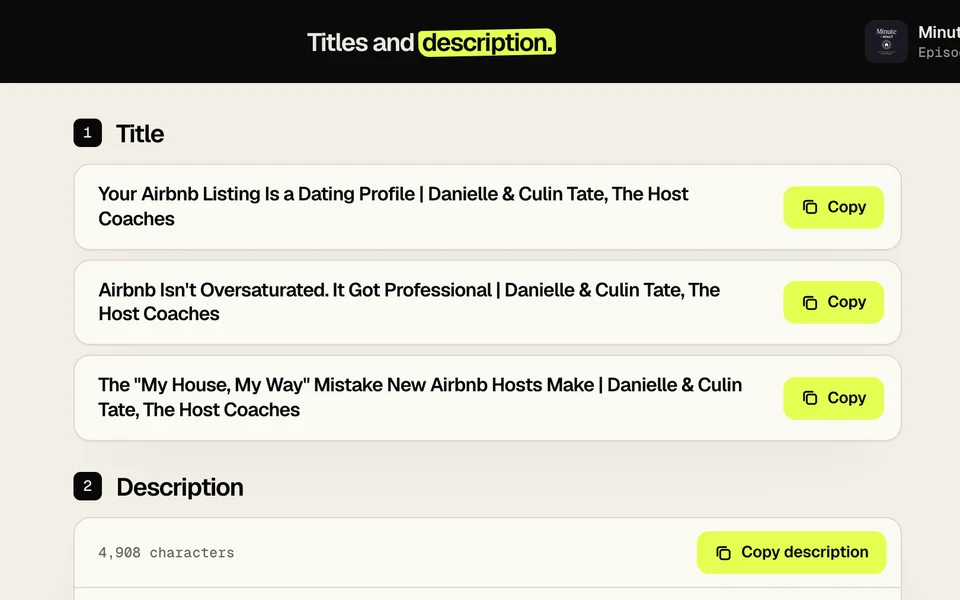
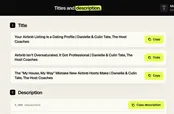 Titles
The podcast launch checklist: 30 days to your first episode
 By Matt Milne5 min read
A podcast launch checklist for a first episode runs about 30 days. Four weeks out: agree a file naming pattern, record three episodes, write a cold open introducing the show, record remote guests to their own files, lock the artwork, book the edit. Launch week: cut a trailer, submit the feed to Apple Podcasts and Spotify early (approval is not instant), write titles and chapters, cut clips, check names. Launch day: publish, post, check the feed, start episode four.
On this page
A launch goes wrong in two ways. Something is missing on the day, or the show runs out of episodes by week three. This checklist is built to stop both. It assumes you already know what the show is (format, who is on it, how long); if not, start with how to start a video podcast and come back with a plan. The items run in order, each with a line on why it is there, some from shows we edit.
What do you need four weeks out?
Agree a file naming pattern before the first recording. Show code, episode number with leading zeros, speaker, written down where everyone recording can see it. In one show's archive we found audio labelled for episode 15 sitting inside the episode 14 folder, and another show's third episode folder was named "EP3" while every file inside said "EP03". Small slips like these cost time when someone is looking for the right file at speed, and launch week is exactly when that happens.
Record three episodes before you publish one. A buffer means a bad week in month one does not become a missed release.
Write a cold open for episode one that introduces the show itself, before any guest. A climate-investment show we edit opened its first episode with its three hosts introducing themselves and the show's three recurring themes. A new listener needs to know what they have found within the first minute.
On a remote show, record each person to their own file. The combined view is a convenience. More of what cannot be fixed later is in the recording mistakes no editor can fix.
Lock the cover art and a thumbnail template. The cover goes to the directories and has to be ready before you can submit; the thumbnail is a different job at a different size, covered in YouTube podcast thumbnails.
Book the edit. Know who is cutting episodes one to three and when each is due back. If that is us, we work on a weekly schedule and stay ahead of the release day.
What should be ready in launch week?
Cut a trailer, or an episode zero. It gives the feed something to hold while the directories approve it, and you something short to share.
Set up hosting and submit the feed to Apple Podcasts and Spotify. Both run creator portals at Apple Podcasts for Creators and Spotify for Creators. Approval is not instant, so submit early with the trailer as the first item rather than waiting for episode one.
Set up the YouTube channel. Banner, channel description, a playlist for the show, and the first thumbnail uploaded against the trailer. A channel with one video on it looks new; one created on launch day looks unfinished.
Write the title, description and chapters for episodes one to three. Copy written on launch morning reads like it, and chapters make a long first episode easier to skip through.
Cut vertical clips from episodes one to three. Launch week is when you have the most attention and the fewest things to post. Clips from three episodes let you post daily without reopening the edit.
Check every name and job title on screen against the person's own page. A misspelt guest name is the first thing the guest notices and the first correction you will be asked to make.
What happens on launch day?
Publish episode one, or all three if you have them. Three episodes give a new listener enough to judge the show; one asks them to come back on trust.
Post the clips and tell every audience you already have. Launch day is the one day you have a reason to message all of them.
Open the show in Apple Podcasts and Spotify and play the first minute. Artwork, title, audio level and the cold open all show up here. Check on a phone, where most people will find it.
Start episode four. Still existing in month three is the metric that matters, and the buffer from item two only holds if you keep filling it.
The 30-day runway at a glance
| When | Done by then | Why it sits here |
|---|---|---|
| Four weeks out | Naming pattern agreed, three episodes recorded, cold open written, cover and thumbnail locked, edit booked | Everything downstream depends on these; a late decision here costs a week later |
| Launch week | Trailer or episode zero live, feed submitted, YouTube channel set up, titles and chapters written, clips cut, names checked | Directory approval is not instant; copy and clips need to exist before the attention arrives |
| Launch day | Episode one (or three) published, clips posted, feed checked on a phone, episode four started | By now the day is a check; the building is done |
What does a launch episode need from an editor?
The launch episode needs the same list as every episode after it, done a little earlier: the edit, a 30 to 60 second cold open, vertical clips, a thumbnail, and the title, description and chapters. On our pricing page that is £280 for a full episode edit up to an hour, £100 for the cold open, £35 per standard vertical clip, £40 for the thumbnail and £30 for the title, description and chapters, with 10% off when three or more episodes are booked at once, which a three-episode launch is. You pay before we start, revise until you are happy, and own every file.
Whether you use us or not, item one still stands. Agree the naming pattern before anyone presses record.
When your first episodes are recorded, here's what we do with a full episode and what it costs.