 Intro
 Full episode
 Clips
 Titles
Riverside vs Zoom for podcast recording: an editor's honest comparison
 By Matt Milne7 min read
Riverside records each person locally and uploads a separate full-quality file per participant, which lets an editor switch cameras and clean each voice on its own. Zoom records one combined, compressed file by default, though it can save separate audio per person if set up beforehand. Pick Riverside for a video show you want cut properly. Pick Zoom if your guests already live in it. Wired internet, headphones, a decent mic and separate tracks matter more than the platform.
On this page
Most Riverside versus Zoom articles are written by people who have never had to edit the result. We have. Most of the remote interview shows we edit arrive as separate files per person, and how a show records decides what we can do with it. This is the comparison from the receiving end: what each platform actually hands over, when Zoom is genuinely fine, and the handful of settings that matter more than the choice itself.
What is the real difference between Riverside and Zoom?
Both let a host and a guest talk over the internet while a recording is made. The difference is where that recording happens.
Riverside records each person locally, on their own computer, from their own camera and microphone, uploading those separate files in the background as you record and finishing after the call. Your internet connection affects what you see and hear during the call, and nothing else. The file that arrives is the full-quality version of what the camera saw, not the version that squeezed through a wobbly connection.
Zoom, by default, records the call itself: one combined file, compressed, of whatever the meeting looked and sounded like at the time. If the guest's connection dropped to a smear for thirty seconds, the smear is in the recording. Zoom can be set to save separate audio files for each participant, and the option has to be switched on before the session starts, because there is no way to un-mix a recording afterwards.
| Riverside | Zoom (default) | |
|---|---|---|
| Where it records | On each person's own device | The live call, in the cloud or on the host's computer |
| What you receive | One separate video and audio file per person | One combined file of the gallery or speaker view |
| Quality | Full local quality, unaffected by the connection | Compressed, and shows any connection trouble |
| File size | Large (one raw camera file can run to several gigabytes an hour) | Small |
| Upload time | Mostly uploaded during the call; the rest finishes after | Done when the meeting ends |
| Separate audio per person | Standard | Available if switched on beforehand |
| Guest familiarity | Many guests will be using it for the first time | Almost everyone has used it |
| Camera switching in the edit | Yes, because every angle exists on its own | Only within what was recorded on screen |
On that file size row: on one climate-investment show we edit, a single guest's raw camera file for one episode was about 3.5GB, and the host's was about 2.9GB. That is what local recording looks like: big files, full quality, and uploads that take real time.
Why do editors keep asking for separate files?
Two reasons, one about craft and one about safety.
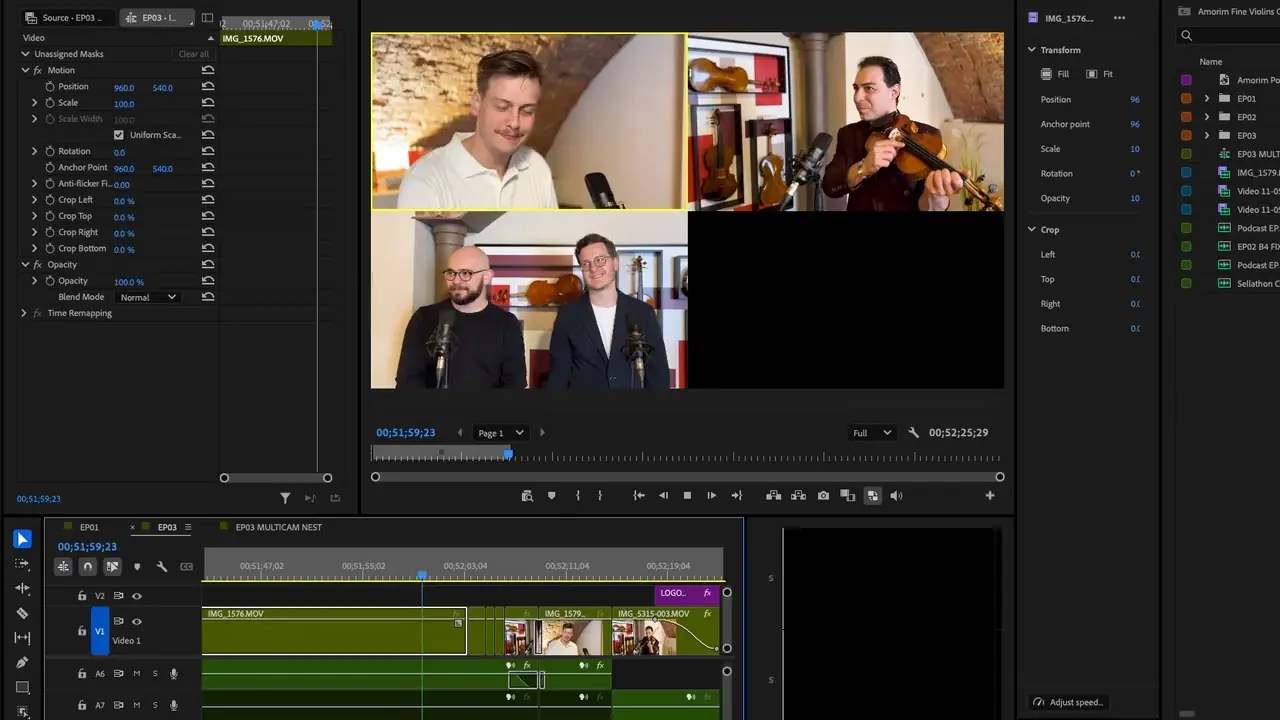
The craft reason: separate files are what allow an editor to switch cameras. With the host and guest each on their own track, we can cut to whoever is talking, hold on a reaction, and shape the conversation as a piece of video rather than a recording of a screen. We can also clean each voice on its own. A guest in an echoey kitchen and a host with a good microphone need completely different treatment, and if they live in one mixed track, every fix applied to one is applied to both.
The safety reason is the one I would underline. On a crypto-industry show we edited, the transcripts of three episodes came back with long silent gaps where the guest's answers should have been. Each guest's separate raw file was still in the episode folder, so there was a clean copy of their voice to go back to. Separate files are a second copy of every voice; a single combined recording is the only copy there is.
That is why we recommend the same thing to every remote show: each person's own file, never the combined gallery view. For the longer list of things that cannot be rescued once the recording is over, see the recording mistakes no editor can fix.
It is worth saying that this whole question only applies to remote shows. Another show we edit records in a studio with multiple cameras, and the synced files per angle each run to many gigabytes. Nobody there is choosing between Riverside and Zoom; the cameras are the platform.
When is Zoom genuinely fine?
More often than the Riverside marketing would suggest, even though separate local files give an editor more to work with.
Zoom is fine when the episode is audio-first and video is a bonus. If the published version is a podcast feed and the YouTube upload is a static waveform or a simple gallery, the compressed video barely matters, and with separate audio switched on you still get a per-person audio track to clean.
Zoom is fine when the guest matters more than the picture. A senior guest who has done a hundred Zoom calls and will give you forty minutes, once, is not the person to walk through a new link, camera permissions and an upload wait. If the choice is a slightly worse recording or no recording, take the recording.
Zoom is fine when the show is internal, or a pilot you are making to see whether the format works.
Zoom is not fine when you are paying for a video edit and expecting cuts between cameras, clean close-ups and clips that look like television. A combined gallery recording caps what any editor can do with it, and no amount of skill after the fact restores detail the compression threw away. If that is the show you want, the platform decision is part of the production budget, and it sits next to the edit on the pricing page.
Which settings matter more than the platform?
Whichever platform you choose, these decide most of what ends up in the file.
Wired internet. Plug an ethernet cable in. Wi-Fi is a common cause of a stuttering guest, and on Zoom the stutter is in the file forever. On Riverside the file stays clean, and the stutter still wrecks the conversation, because people talk over each other when the picture freezes.
Headphones. Without them, the guest's speaker plays the host's voice back into the guest's microphone, and every platform's echo cancellation then has to guess which sounds to remove. It guesses wrong at the moments that matter, usually when two people laugh at once.
A decent microphone, close to the mouth. A USB microphone that cost less than a tank of petrol beats a laptop's built-in array every time. Distance matters more than price: a cheap microphone six inches from the mouth sounds better than an expensive one at arm's length.
Separate tracks switched on. On Riverside this is the default. On Zoom it is a setting you turn on before the meeting, and the host has to do it. Put it in the pre-record checklist and have the host confirm it out loud at the start of the session.
Let the uploads finish. This is the Riverside trap. Riverside uploads as you record, but the last part of each file is still on the guest's computer when the call ends, and a guest who closes the tab, shuts the laptop or wanders off to a meeting before it finishes can leave the upload incomplete. Ask every guest to stay on the page until it says the upload is complete, and tell them it may take a few minutes.
Get those five right and either platform will give you something an editor can work with. Get them wrong and the platform choice is a rounding error.
Pick Riverside if, pick Zoom if
Pick Riverside if you are making a video show and want it edited as video: cuts between host and guest, clean close-ups, clips for social that look like they came from a studio. Pick it if your guests are regulars who will happily open a new link, and if you have the patience to wait for uploads and the storage to keep the files. Pick it if the show matters enough that losing a track would be a problem, because separate local files are the only real insurance.
Pick Zoom if the show is audio-first, if your guests are senior people who will give you one slot and no onboarding, or if you are piloting a format and want to spend your effort on the conversation rather than the technology. Switch on separate audio per participant before every call, and accept that the video will be an edited gallery rather than a cut piece.
Whichever you choose, send your editor each person's own file, keep the raw recordings until the episode is published, and run the five settings above as a checklist before every session. If you are still deciding what the show should be before you decide how to record it, start with the complete video podcast production guide and come back to this when you have a guest booked.
Once it's recorded, you can see what goes into our full episode edit and what we charge for it.