 Intro
 Full episode
 Clips
 Titles
Captions for podcast clips: where they go wrong and how we set them
 By Matt Milne6 min read
Caption every podcast clip: some viewers cannot hear it and many more are watching muted. Use automatic captions only as a first draft, then have a person read every line against the audio, because machines get names, brands and web addresses wrong. Set two or three words at a time, large enough to read at arm's length, timed to the speech, in one consistent look, and kept clear of the platform's buttons.
On this page
A clip can be cut well, framed well and still be wrong, because the caption spelt the guest's company like a kitchen appliance. Wrong names are the caption fault we see again and again on short-form work. This post is about captions on podcast clips as we see them from the edit: why every clip gets them, where the automatic ones fall over, and how to set type that reads on a phone held at arm's length.
Why does every podcast clip need captions?
Captions on a podcast clip are the spoken words set on screen in time with the speech. They do three jobs at once, and a clip without them fails all three.
The first job is access. The W3C's Web Accessibility Initiative describes captions as the way people who are Deaf or hard of hearing get the audio content at all, and notes they are also used by people who take in written information better than spoken. For those viewers an uncaptioned clip is a silent film of two people nodding.
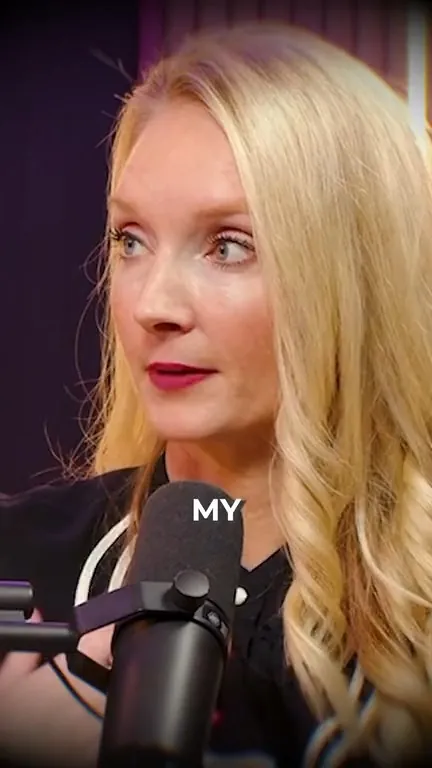
The second job is the muted feed. A clip often starts playing with the sound off, on a train, in an office, next to someone asleep. If nothing on screen says what the clip is about, the thumb keeps moving. The caption is the hook for anyone who has not yet turned the sound on.
The third job is holding attention once the sound is on. Reading and hearing the same line together is easier to follow than hearing alone, which matters when the speaker is quick or talking over a laugh.
None of that works if the words are wrong, late or too small. So the useful question is how captions fail.
Where do automatic captions fail?
On plain conversational English, automatic captions are good. The mistakes cluster in one place: anything the machine has never seen written down. Proper nouns are where captions go wrong.
Three examples from our own episode files, with the shows left unnamed.
On one show, the title is a brand spelling of an ordinary dictionary word. The automatic transcript wrote the dictionary word every single time, so the show's own name was wrong in its own episodes. The host's name came out wrong too, and not the same way each time. The company's web address, which the host reads out at the end, came out as two unrelated phrases.
On a second show, a guest said their company name several times but never spelled it. The transcript gave two different phonetic guesses for it within the one episode, neither of them a real company.
On a third, a foundation's name came out one sound off. That is the dangerous kind, because the result looked like a real organisation with a different name. The first two errors read as nonsense and get caught. This one reads as fact.
In interview podcasts this is the normal case, not a rare one, because the guest's name, their company and their product are exactly the words a clip exists to promote, and exactly the words a machine is least likely to know. The W3C guidance says the same thing more bluntly under the heading "Automatic Captions are Not Sufficient": they do not meet user needs unless confirmed to be fully accurate, and the text is sometimes wrong in ways that change the meaning. Its own example is a single dropped "not".
| Where it fails | What it looks like on screen | What the human pass does |
|---|---|---|
| Names of people | A surname spelt two ways in one clip | Check against the guest's own profile, then fix every instance |
| Company and product names | A phonetic guess, or a different real company | Check against the company's own site |
| Web addresses and handles | Unrelated words where the address should be | Type it as the client writes it |
| Cross-talk and laughter | Two speakers merged into one sentence | Split by speaker, or drop the overlap |
| Small words | A missing "not", "can" for "can't" | Read every line against the audio |
| Timing | Words landing a beat after they are said | Nudge the line so it lands on the speech |
The fix is not clever. A person plays the clip with the captions on and reads every line against what was said, then checks each name against the place where its owner writes it. On our clips that pass happens on every clip, including the fifth one from the same episode, because a name corrected in clip one is not automatically corrected in clip five.
How should captions look at phone size?
Styling comes second to accuracy, but it is where most home-made clips lose people. The test we use is simple: play the clip on a phone, hold it at arm's length, sound off. If you can follow it, the captions work.
What tends to pass that test:
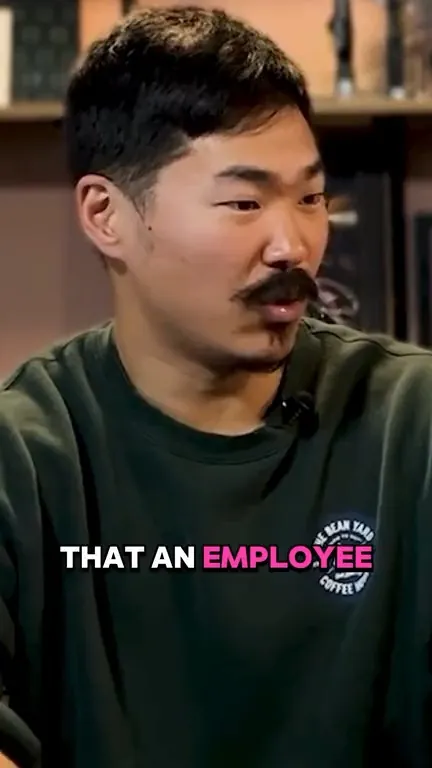
- Two or three words at a time. A full sentence across the frame makes the type small and gives away the punchline before the speaker reaches it. Short groups keep the reader in step with the voice.
- Break on the sense. "In the first | two weeks" reads badly. "In the first two weeks | we lost half" reads as speech. Never leave a name split across two captions.
- Big, heavy and plain. A bold sans serif with a dark edge or shadow survives a bright shirt, a window and a white wall. Thin or decorative type does not.
- One place on the screen. Lower middle, below the chin and above the platform's own caption text and buttons. Captions that jump around make the viewer hunt for them.
- One look per show. Same typeface, same colours, same emphasis colour every time.
- Emphasis used sparingly. Colouring one key word in a line pulls the eye. Colouring every other word is noise.
Do moving captions beat clean ones?
Not by default. A clean caption that is correct, large and on time does the three jobs above. Moving captions, where the key word grows, changes colour or lands with the beat, add energy, and they suit a clip built to stop a scroll: a strong opinion, a number, a punchline. On a quiet, thoughtful answer they fight the speaker.
That is the line between our two clip types. A standard clip is £35 and comes reframed to vertical with clean captions in your show's style. An advanced clip is £65 and adds moving captions along with music, cutaways, hook cards and sound effects. Both get the same word-by-word check, because a name is either right or it is not. The full breakdown is on the pricing page, and what goes into the cost of a clip covers the rest of the work behind each one.
What should you check before a clip goes out?
If you caption your own clips, run this before posting:
- Watch the whole clip muted. Does it make sense from the captions alone?
- Read every name, brand and web address against its owner's own page.
- Listen for small words: "not", "can't", "never", numbers and currencies.
- Check nothing sits under the platform's buttons or its own caption text.
- Check the last caption. Clips often end mid-word because the cut moved and the text did not.
Five minutes a clip, and it is the difference between a guest sharing your clip and a guest quietly asking you to take it down. Captions are one part of turning an episode into a week of posts, and our guide to repurposing an episode covers the rest of that system.
Here are some of the clips we've cut, and what each one costs.